
ShotPost
Screenshot Mockups
ShotPost builds App Store screenshots and preview videos on the device that recorded them — no uploads, no desktop.


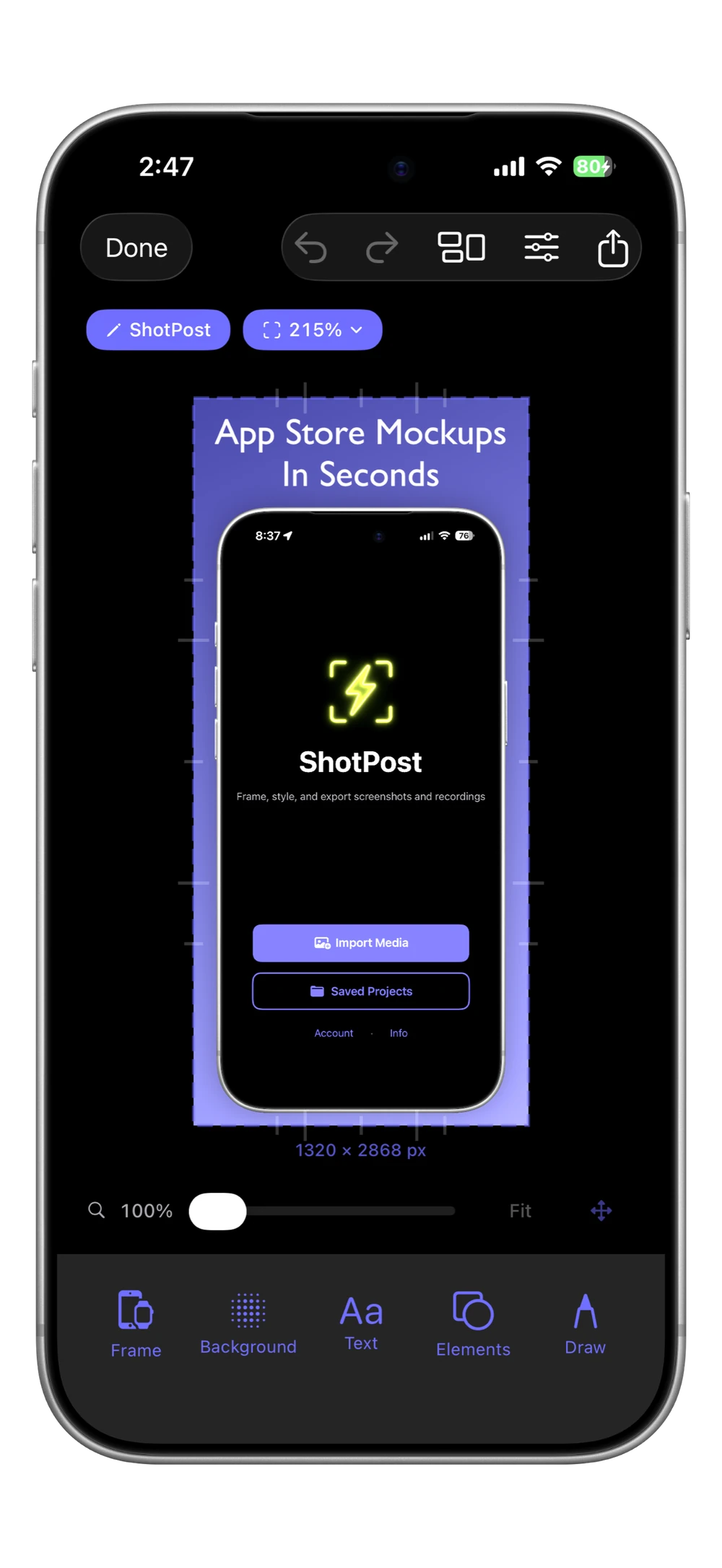
Import a screenshot or a screen recording, drop it into one of 140+ real device frames, and style it with smart gradient backgrounds, eyedropper color matching, text overlays, drawing tools, and privacy masks. Every frame rotates through portrait, landscape, and upside down, so a landscape screenshot or game recording sits in a landscape device.
Name your projects, search and filter your library, and export to 40+ platform presets — from Instagram to upload-ready App Store preview videos. All processing on-device, no account required.
iPhone
Features
Frames & canvas
- 140+ device frames — iPhone 18 Pro and Pro Max, the iPhone Duo foldable, iPad, and Apple Watch
- Every frame rotates: portrait, landscape left, upside down, landscape right
- Import something landscape and the frame is already turned to match
- Apple Watch in all 76 case and band pairings
- Recent frames at the top, previous generations one tap away
- Zoom the canvas up to 4x and pan for fine work
- One layer stack for text, drawings, photos, symbols, and masks
- Quick zoom presets from 50% to 250%
Edit & style
- Smart gradient backgrounds with 9 suggestions from your own screenshot
- Eyedropper — sample any color straight from your screenshot
- Corner radius, shadow, and border controls
- Text overlays with custom fonts and colors
- Drawing tools with line smoothing (neon, highlighter, crayon)
- Thousands of SF Symbols, searchable by name or meaning
- The App Store badge in all 39 languages Apple publishes
- Brightness control for dark-mode shots
- Masks: blur, pixelate, solid redaction, and Spotlight
- Swap the media on a finished design without losing the styling
Organize & export
- Name projects and filter by project, format, and type
- Duplicates view groups projects with identical output — merge them in a tap
- Batch tools: rename, export, duplicate, or delete many at once (Pro)
- 40+ platform export presets, from Instagram to App Store sizes
- Transparent PNG export with automatic shadow suppression
- Video support with effects — social clips and App Store previews (Pro)
- Play a screen recording inside its frame before you export it
- Private iCloud backup keeps your library safe automatically
Pricing
Free
5 exports per month, with no watermark on any of them
Pro — $7.99/mo, $49.99/yr, or $99.99 lifetime
Unlimited exports, video and App Store previews, batch tools (7-day trial on both subscriptions)
FAQ
What is ShotPost?+
ShotPost is a screenshot and video editor for iPhone that creates professional mockups for App Store listings and social media. Import screenshots or screen recordings, add device frames, customize backgrounds, and export at exact platform dimensions — all from your phone.
What platforms are supported?+
Over 40 platform presets with exact dimensions for Instagram, Facebook, X, LinkedIn, TikTok, YouTube, Threads, Pinterest, Snapchat, and the full App Store lineup — iPhone, iPad, and Apple Watch. Save and reuse named custom sizes for anything not on the preset list.
Can I make landscape mockups?+
Yes. Every device frame turns four ways — portrait, landscape left, upside down, and landscape right — and the screen geometry turns with it, so the artwork stays correct. Import a landscape screenshot or a game recording and ShotPost picks the matching orientation for you. Video behaves exactly like stills.
What device frames are available?+
Over 140 frames in every finish Apple publishes — iPhone 18 Pro and Pro Max, the iPhone Duo foldable in all three of its states, iPhone 17, 16, and Air, iPad Pro, Air, mini and iPad, and Apple Watch Ultra 3, Ultra 2, and Series 11 across all 76 case and band pairings. Current models show by default with previous generations one tap away, your recent frames sit at the top, and match badges flag the ones that fit your screenshot.
How do layers work?+
Text, drawings, photos, symbols, and masks share one stack. Every selected item has a layer button that moves it up one step, wrapping back to the bottom from the top, so you can stack a callout over a mask or tuck a symbol behind text. App Store badges always render on top, as Apple's badge guidelines require.
Can I hide private information in a screenshot?+
Yes, four ways. Blur, pixelate, and solid redaction cover an area, and Spotlight does the opposite — it dims everything except the part you want seen. Each one can be a rectangle, an ellipse, or a capsule, and you place and stretch it exactly where you need it. Imported photos take the same shape choice.
Can I match colors from my screenshot?+
Yes. Every color control has an eyedropper beside it — borders, backgrounds, gradients, text, brushes, badges, and photo elements. Tap it to open your screenshot full-screen, drag to move the magnifier over any pixel (the color and its hex value update as you go), then tap Use Color. It reads the true pixel color from your imported image, so accents can match your app's palette exactly.
How do smart backgrounds work?+
ShotPost analyzes your screenshot and generates nine gradient suggestions across different moods — vivid, muted, dark, light, warm, cool, and more — plus eight solid color suggestions pulled from your image. Cycle through gradient directions with one tap, or pick any photo as your color source. Pin your favorites for quick access.
What editing tools are included?+
Text overlays with custom fonts, colors, and alignment. Freehand drawing with neon, highlighter, and crayon brushes. Thousands of SF Symbols, searchable by name or meaning, with your recent picks one tap away. The App Store badge in all 39 languages Apple publishes. Brightness control for dark-mode screenshots. Blur, pixelate, solid redaction, and Spotlight for privacy. Full undo and redo.
Can I export with a transparent background?+
Yes. Set the background to transparent and export as PNG — ShotPost automatically suppresses the drop shadow so the edges composite cleanly into other designs. Transparent projects are tagged with a PNG filter chip in your library, so they're easy to find again.
How do I find a specific project?+
Name your projects and they'll appear in the gallery card, search results, and filter chips. Filter chips group projects by project, format, and type, and the menus narrow each other so no combination comes up empty. A dedicated Duplicates filter surfaces projects with identical output so you can clean up your library in a tap.
How do I clean up duplicate projects?+
The Duplicates filter groups projects whose output is identical, whether you duplicated them or rebuilt the same design twice, and offers Merge to fold a group back into one project. You can also select several projects and tap Delete: a Keep Oldest / Keep Newest / Delete All alert lets you control what survives.
How does video support work?+
Import screen recordings and apply the same effects — device frames, text, backgrounds, and overlays all carry over. Play the recording inside its frame before you export it. For App Store previews, ShotPost handles duration, frame rate, audio, and codec automatically; if a recording sits outside the 15-to-30-second window you can speed it up, loop it, or export it at its original length. Video processing requires Pro.
Can I manage multiple projects at once?+
Yes. With Pro, select multiple projects and use Batch Tools to rename, export, duplicate, or delete them all at once. A progress overlay shows exactly where you are, and you can cancel anytime.
Can I batch export videos?+
Not currently — batch export covers still images only. Video encoding is heavy enough that running several in parallel would freeze the app or run out of memory on most devices, so videos export one at a time. Batch duplicate and batch delete still work with video projects.
How much does it cost?+
ShotPost is free with 5 exports per month, and free exports carry no watermark. Pro unlocks unlimited exports, video processing, and batch tools. Monthly $7.99, Annual $49.99, or Lifetime $99.99. Both subscriptions include a free 7-day trial.
What is ShotPost Pro?+
ShotPost Pro unlocks unlimited exports, video import and export including App Store previews, and batch tools. Available as Monthly ($7.99), Annual ($49.99), or Lifetime ($99.99). Both subscriptions include a 7-day free trial. Every other feature is free, and free exports are never watermarked.
Do I need to create an account?+
No. Download and start creating immediately. No signup, no email, no password. Projects save to your device and back up privately to your iCloud account.
Is my data private?+
Completely. All processing happens on your device. Projects back up to your private iCloud account. No third-party servers, no tracking, no analytics. We never see your screenshots or mockups.
Where do my screen recordings live?+
Projects sync through your private iCloud account, and the recordings themselves sit in iCloud Drive alongside them. Open a project whose recording isn’t on this device yet and ShotPost downloads it, showing its progress while you wait. If a recording was saved while iCloud was off, or your iCloud storage is full, it stays on the device that made it — and the editor tells you which case you’re in instead of just reporting the video as missing.
Does it work offline?+
Yes. Create and edit anytime without an internet connection. When you reconnect, projects back up automatically to iCloud.
Is ShotPost accessible?+
Yes. ShotPost supports VoiceOver with labels on interactive controls, respects Reduce Motion to skip animations for users with vestibular sensitivity, and uses icons alongside color to signal tappable elements and quota states — so interactivity doesn't depend on color alone. Dark Interface is fully supported throughout the app.
Guides
Version 1.10.2